
All features
Reports · Alpha
Make every delivered report look like yours.
Report Designs
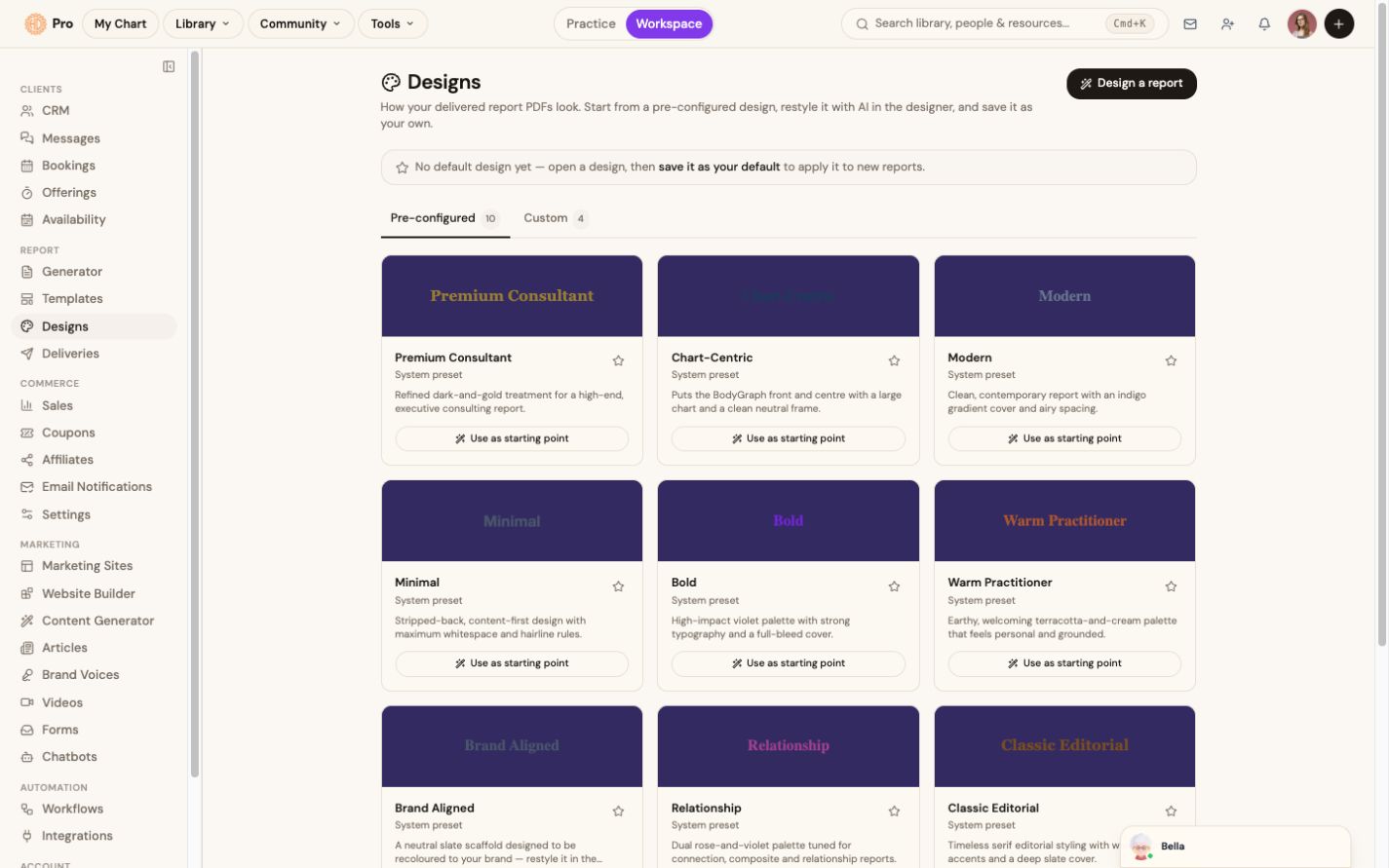
Start from a pre-configured report design, adapt the visual treatment, and save a design for future report output. Availability may vary while the designer is in Early Access.
The change in the work
Less friction before the client sees the result.
Choose a starting design and prepare the visual treatment for report output.
The live product labels Report Designs Alpha and exposes pre-configured and custom views.
The workflow
How report designs fits the work.
Choose a starting design
Browse the available pre-configured report treatments.
Open the designer
Adapt the visual treatment using the controls available in your account.
Save the result
Keep it as a custom design or use it as the default for new reports.
What this helps you accomplish
Keep the expertise yours. Reduce the busywork.
- Pre-configured designs as starting points
- Custom design workspace for visual changes
- Save a default for new report output
Existing platform review
“The integration of AI takes the experience to an entirely new level, allowing me to access insights from my own chart—or my clients’ charts—quickly and efficiently.”
Isabel S. Churchill · January 24, 2026
Read the source reviewCommon questions
Know what the feature does and does not do.
What does Early Access mean here?+
The feature is available gradually and its controls may continue to change. The product shows the status before you rely on it for delivery.
Continue exploring