
All features
Connect · Early Access
Connect workflows, agents and custom tools.
Integrations
Connect practice events to your automation stack, use hosted MCP to work with your authorized workspace from Claude, ChatGPT or Codex, and access the Human Design API for custom products and automations.
The change in the work
Less friction before the client sees the result.
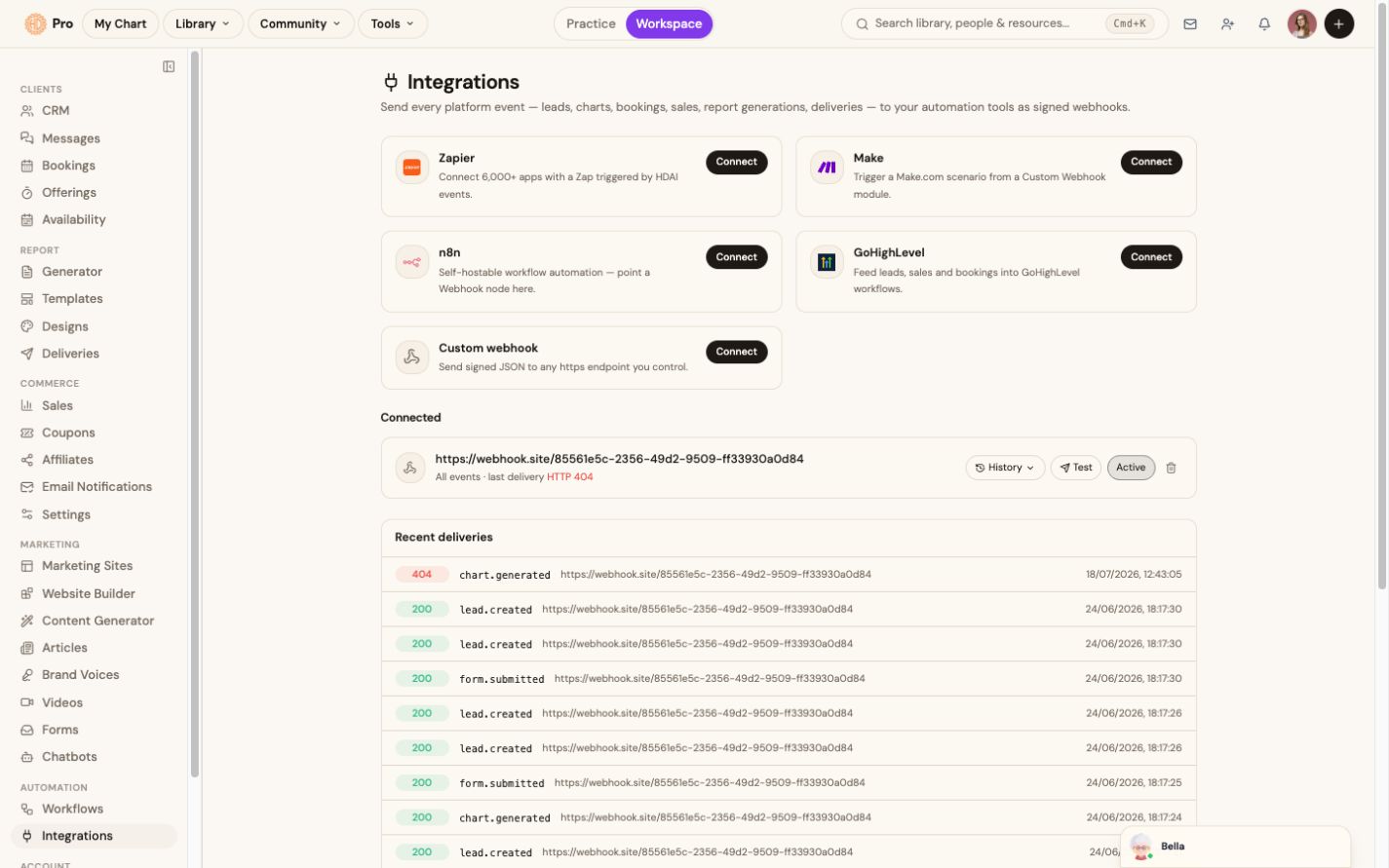
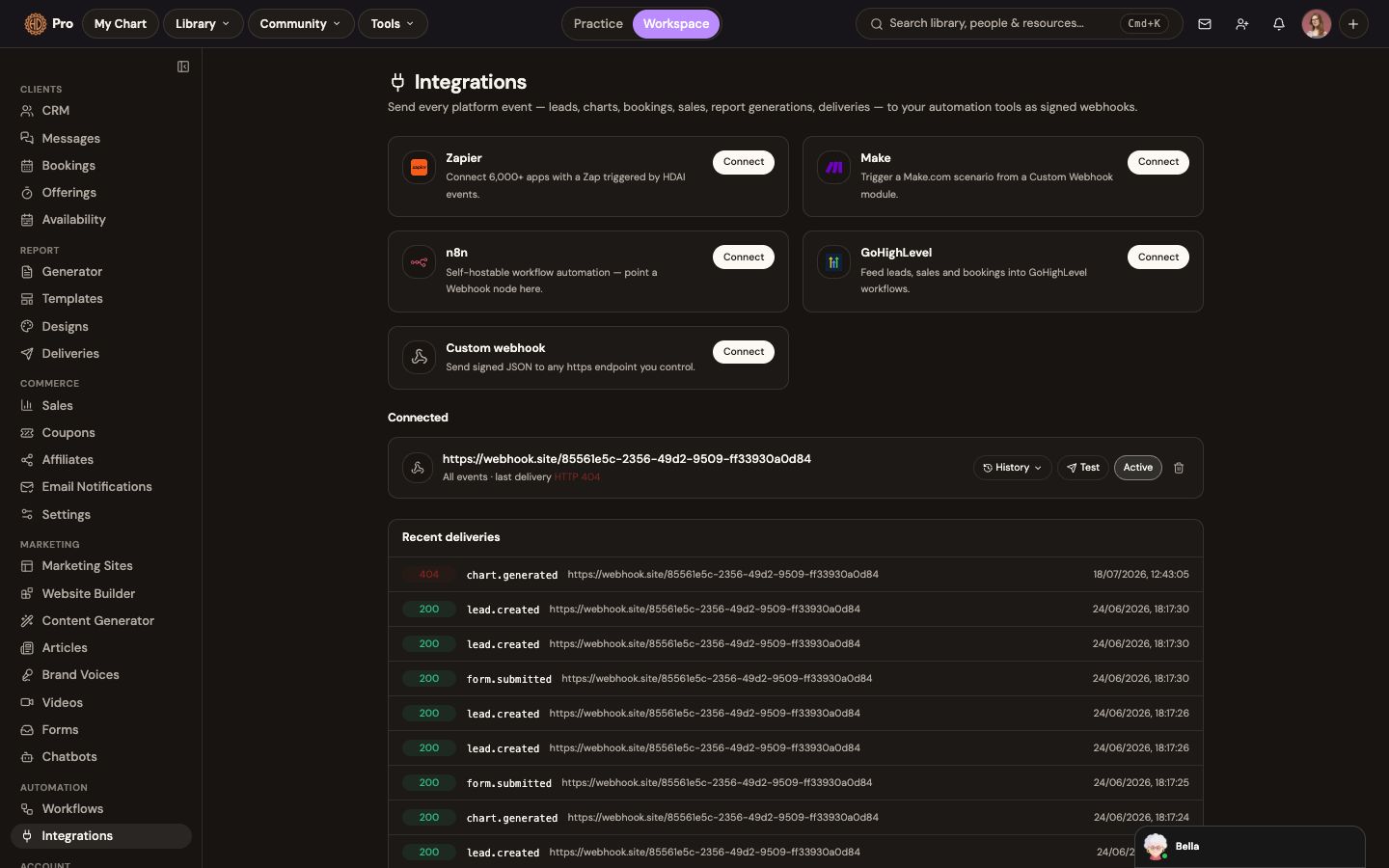
Send supported Pro events to Zapier, Make, n8n, GoHighLevel or a custom HTTPS endpoint.
The current Integrations screen exposes Zapier, Make, n8n, GoHighLevel and custom signed webhooks for leads, charts, bookings, sales, report generations and deliveries.
Your workspace, inside your AI assistant
Ask Claude, ChatGPT or Codex to work with the context you already have.
One hosted MCP connection lets a compatible assistant discover only the tools, charts and workspace capabilities the signed-in account is permitted to use. OAuth keeps passwords and tokens out of the prompt.
See connection guidesClaudeChatGPTCodexOther MCP clients
Hosted MCP · OAuthmcp.humandesign.ai
01
Search, retrieve and organize the authorized chart library
02
Render permitted charts and work with composite chart context
03
Review account usage, entitlements, report templates and report status
04
Inspect eligible Builder projects, plans, runs, previews and assets
Current boundaryReport generation and delivery, Builder creation and publishing, and other consequential actions remain staged or use an explicit secure handoff until their confirmation checks are complete.
The workflow
How integrations fits the work.
Choose the connection
Start with a supported automation destination, custom webhook, API or MCP client.
Authenticate it
Follow the connection or credential flow for the selected service.
Select the work that should move
Use supported events or Human Design tools in the workflow you are building.
Monitor usage and delivery
Review connection state in Pro and usage in the relevant companion service.
Companion access
Build beyond the workspace.
Use dedicated services for custom Human Design products, automations and compatible AI clients. Access and usage allowances are managed by each service.
What this helps you accomplish
Keep the expertise yours. Reduce the busywork.
- Claude, ChatGPT, Codex and compatible agents through hosted MCP
- Zapier, Make, n8n, GoHighLevel and signed HTTPS webhooks
- Events for leads, charts, bookings, sales, reports and deliveries
- Human Design API access for custom products and automations
Existing platform review
“The integration of AI takes the experience to an entirely new level, allowing me to access insights from my own chart—or my clients’ charts—quickly and efficiently.”
Isabel S. Churchill · January 24, 2026
Read the source reviewCommon questions
Know what the feature does and does not do.
Are API and MCP access part of the integrations area?+
They are companion services from the HumanDesign.ai ecosystem. Pro links you to each service; its published access and usage allowances apply.
Which integrations are still rolling out?+
The in-workspace integration directory is Early Access. Connection status is shown before you depend on a destination in a live workflow.
Continue exploring